


Ford™
4.744.90K Reviews
App Specs
- Version
- Varies with Device
- Updated On
- License
- Free
- Downloads
- 10,000,000+
- Developer
- Ford Motor Co.
- Categories
- Lifestyle
- Platform
- Android, iOS
Screenshots
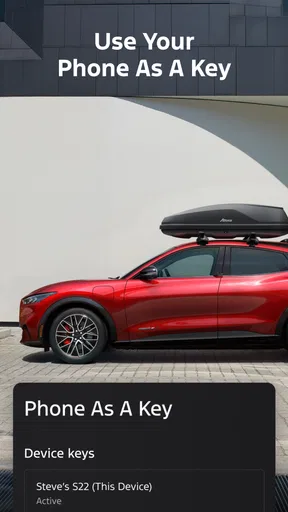
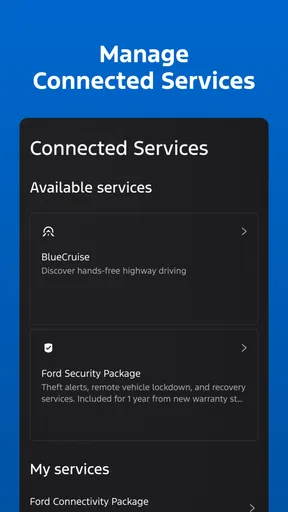
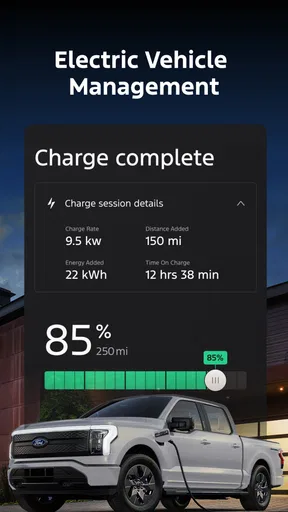
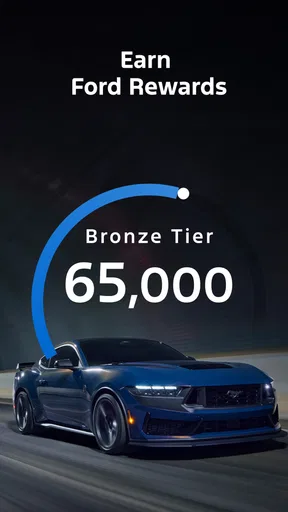
 Analysis by AppCompare
I’d judge the Ford app less by how many buttons it puts on a screen and more by whether it makes owning a Ford feel simpler on an ordinary day. Its strongest appeal is the link between a phone and a compatible vehicle: instead of treating car care, remote access, and trip preparation as separate chores, it gives owners one place to handle several of them. That makes it most useful when you already rely on your Ford and want a convenient companion, rather than a general driving app for every car.
What the app is today
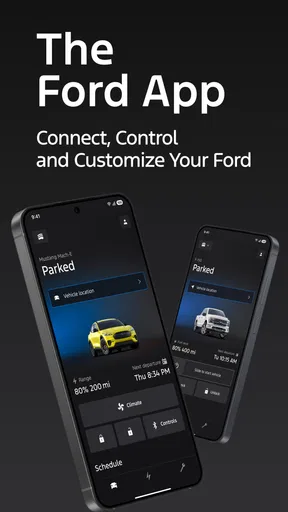
Ford™ is Ford Motor Co.’s free lifestyle app, intended to bring vehicle-related tasks into a mobile experience. FordPass is now the Ford app, so existing owners may recognize the service even as its name has changed. It has an average rating of 4.7 from around 347,000 ratings, and more than 10 million installs. Those numbers suggest that plenty of drivers find a reason to keep it, but they don’t guarantee that every feature will suit every vehicle: what you can do depends in part on your Ford and its equipment.
I’d think of it as a useful ownership tool, not a replacement for the car itself or a universal diagnostic system. Some capabilities, such as remote start or vehicle information, depend on the vehicle being compatible and properly connected. Before relying on a particular function, check whether it is available for your model and configuration. The app is rated for Everyone, but its practical value is specifically tied to being a Ford owner.
Where the convenience shows up
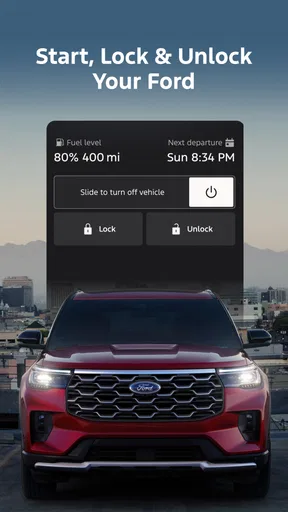
The clearest benefit is reducing small bits of friction. If your vehicle supports remote start, you can prepare it before heading outside rather than waiting in the car. That is especially appealing when the weather is uncomfortable, though I’d treat it as a convenience rather than a reason to leave a vehicle running unattended. The actual usefulness also depends on having the right vehicle capability and a reliable connection.
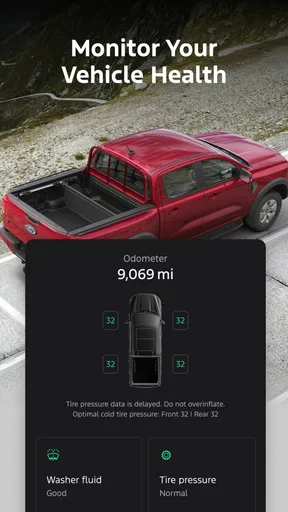
Vehicle health information can make routine ownership easier to keep on top of. A notice about a maintenance need or a vehicle concern can prompt you to check the car sooner instead of relying entirely on memory. I would still use the dashboard indicators, owner’s manual, and a qualified service professional when something seems serious. An app alert is a helpful nudge, not a substitute for inspecting a problem or confirming what repair is needed.
A practical habit is to check the app before a longer drive, when there is still time to respond to a warning or plan a service visit. That is more useful than opening it only after a dashboard light appears. It also helps set sensible expectations: vehicle status can support your decisions, but the app should not be treated as a guarantee that every mechanical issue will be detected in advance.
Getting started and setting expectations
Diving into the Ford™ app is pretty straightforward. Once you’ve downloaded it from the App Store or Google Play, setting it up is a snap. Just enter your vehicle’s info, and you’re good to go. I was pleasantly surprised by how intuitive the interface is. It’s designed to make life easier, not more complicated.
Worth Reading Before You Choose

EA SPORTS FC Mobile 26 Is a Bigger Football Game, but It Takes Time

Flipboard Shows What News Apps Must Do Beyond the Feed

Switching to Android Auto Means Rethinking Your Driving Routine

Google Calendar Makes a Crowded Week Easier to Manage

Ludo King Makes the Most of the Minutes Between Plans

Baby Panda World Brings Quick Play to Modern Phones, but Its Game Library Feels Busy
For a smoother first setup, have your vehicle information ready and take a moment to explore the account and vehicle screens before you need a feature in a hurry. If you share the car with someone else, decide who should manage the account and who needs access; a rushed setup in a parking lot is not the ideal time to sort that out. I’d also test a remote function while the vehicle is safely parked, rather than assuming it will work for the first time when you are already late.
One question new users often have is whether installing the app alone unlocks every advertised capability. It doesn’t work that way: features are tied to the vehicle and its equipment, and setup has to be completed for the relevant car. If a function is unavailable, first check the vehicle details and the app’s account setup rather than assuming the phone is at fault. That distinction matters because the app can be easy to install while still offering different practical options to different owners.
Using it as part of everyday ownership
I find the app most useful when I give it a small, specific role in my ownership routine rather than expecting it to replace every car-related tool. Before a trip or a service visit, I’d check the vehicle information and use any reminder as a cue to verify things directly. That habit makes the app a practical starting point, while keeping important decisions grounded in what I can confirm at the car.
Features That Stand Out
One of my favorite features is the remote start. Imagine it’s freezing outside, and you can start your car from the warmth of your home. Pretty neat, right? It’s a fantastic way to get your car ready, especially during extreme weather conditions.
The app also provides detailed vehicle health reports. You get alerts about any issues, like low tire pressure or the need for an oil change. It’s like having a mechanic keeping an eye on your ride around the clock.
The most helpful way to use these tools is to build them into a routine instead of waiting for a problem. For example, I’d check the vehicle information before leaving for a weekend trip, then use any maintenance notice as a cue to schedule a closer look. If a tire warning appears, I’d verify the pressure directly when safe to do so; a phone notification is a prompt to investigate, not proof of the exact cause. That small distinction keeps the app useful without giving it more authority than it deserves.
For a realistic weekday example, picture leaving work on a cold evening. If your Ford supports remote start and the feature is set up, you can prepare the car while finishing up indoors, then head out when you are ready. On another day, a maintenance reminder may change your plan: rather than discovering an issue just before a long drive, you can make time to check the vehicle. Those are modest conveniences, but repeated small gains are where a companion app earns its place.
Navigation and Connectivity
Another cool feature is the built-in navigation. It’s super handy for finding your way around, and it’s integrated seamlessly with your car’s system. No more fiddling with your phone while driving. Plus, the app’s connectivity options are top-notch. Whether you need to make a call or play your favorite playlist, the app has got you covered.
If you’re into smart home devices, you’ll appreciate the compatibility with Amazon Alexa and Google Assistant. You can literally talk to your car from your living room. How futuristic is that?
For route planning, I’d compare the app’s in-car experience with the navigation option you already use, not assume one is automatically better. A dedicated map service may be the more familiar choice for searching destinations or checking a route, while a vehicle-integrated setup can feel more natural once you are in the Ford. The practical trade-off is convenience versus habit: use whichever option keeps your attention on the road and avoids distracting phone handling.
Voice control can be useful when your phone is out of reach, but it is best treated as an occasional hands-free shortcut, not something to experiment with while driving through a complicated intersection. Try the setup while parked so you know what it can do and how your account and vehicle respond. Likewise, connectivity features are only valuable if they work with the devices and systems you actually use; owners who prefer separate navigation, music, and calling apps may not need to change their routine.
Who gets the most from it
The app makes the most sense for a Ford driver who wants remote access, a quick view of vehicle information, or an easier way to keep maintenance on the radar. It is especially appealing if more than one of those needs applies: a driver who values remote preparation and also wants reminders has more reason to keep it installed than someone who only wants directions. It can also be handy for owners who are still learning the car, because a central place to explore vehicle-related functions is easier than trying to remember where every control lives.
By contrast, if you do not own or regularly use a compatible Ford, this is unlikely to be a useful everyday app. A general navigation service is a better fit for someone who simply needs maps, and a standalone maintenance log may be enough for a driver who only wants to record oil changes and service visits. Even a Ford owner who never uses remote functions or vehicle status may find the app adds little beyond occasional reference. I would install it for a specific ownership task, then keep it only if those tasks genuinely save time.
How it fits beside other car apps
Compared with the usual alternatives, the main distinction is that this is a manufacturer’s companion rather than a brand-neutral motoring hub. A general driving app can be useful across different vehicles, while Ford’s offering is designed around the relationship between a Ford and its owner. That focus is an advantage when the relevant vehicle features are available; it is a limitation if you want one app to manage cars from several makes or to provide the same experience regardless of model.
I would not replace a trusted navigation app, a service professional, or the vehicle’s own controls simply because this app brings several functions together. Instead, use it for the Ford-specific tasks it handles conveniently and keep your other tools where they are stronger. This avoids the common trap of expecting one app to be the best at every part of driving. The right comparison is not “which app has the most features?” but “which one makes this particular task easier for my car?”
What has changed, and what owners should watch
FordPass is now the Ford app, which is the clear change in how the service is presented to owners. The app has been available since April 28, 2016, giving it a long history as a mobile companion, but that fact alone does not tell me how a particular screen or feature has changed over time. Existing users should focus on whether their current vehicle still appears correctly in the account and whether the functions they rely on remain available after moving to the current app identity.
For someone switching from an earlier FordPass setup, I’d approach the change practically: sign in, confirm the vehicle and account details, and test the functions you actually use while parked. That is more useful than assuming a name change either removes or adds a capability. Keep any important service records or vehicle information you also store elsewhere until you are comfortable with your routine. For a new owner, the same check is a sensible first step after adding the vehicle.
What I would watch over time is not a promise of new features, but the reliability of the basics that matter to you: whether vehicle information stays current, whether a remote command responds when expected, and whether reminders are clear enough to act on. If one of those fails, checking connectivity and vehicle compatibility is a reasonable first move; for persistent vehicle concerns, contact the appropriate support or service channel instead of repeatedly relying on the app. That approach keeps a useful digital tool in its proper role.
Design, support, and the trade-offs
The design of the app is sleek and modern. It’s user-friendly and not cluttered at all. Everything is where you’d expect it to be, which means less time fumbling around and more time enjoying the features.
I also found the customer support to be responsive and helpful, which is always a plus. If you ever run into issues, it’s nice to know there’s someone ready to help you out.
The main trade-off is that an app tied to a specific car cannot be equally useful to every driver. Vehicle compatibility, setup, and connectivity shape what you can actually do, so a feature that sounds central to one owner may be irrelevant to another. It also adds another account and another place to check. If you prefer to keep car tasks offline, or you are uncomfortable depending on a phone for routine access, the vehicle’s physical controls and the guidance in its manual may suit you better.
My overall view is positive, with a clear condition: the app earns its space when you use Ford-specific tools often enough to justify it. It is free, and its Everyone age rating makes it broadly accessible, but neither fact changes the need to check that your vehicle supports the features you want. For an owner who values remote convenience and timely vehicle information, it can make daily ownership feel more organized. For everyone else, a general-purpose driving tool may be the simpler choice.
In conclusion, if you own a Ford vehicle, this app is a must-have. It’s not just about convenience; it’s about enhancing your driving experience. From keeping your vehicle in top shape to making your daily commute more enjoyable, the Ford™ app does it all. So go ahead, give it a try, and see how it transforms the way you interact with your vehicle.
Pros
- User-friendly interface for easy navigation.
- Real-time vehicle status updates.
- Remote start feature is highly convenient.
- Seamless integration with smart home devices.
- Customizable alerts for maintenance reminders.
Cons
- Limited functionality in offline mode.
- Requires strong internet connection.
- Occasional app crashes reported.
- Some features locked behind subscriptions.
- Compatibility issues with older models.
FAQs for Ford™
What features does the Ford app offer?
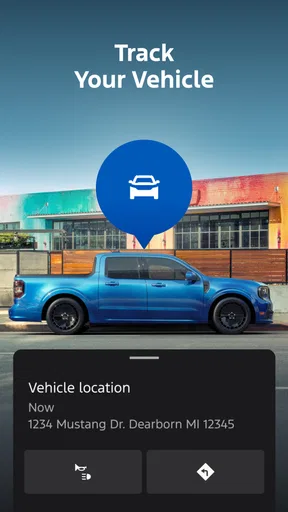
The Ford app provides a range of features designed to enhance your driving experience. Users can remotely start their vehicle, lock and unlock doors, and track the car's location. Additionally, the app offers maintenance alerts, vehicle health reports, and integration with FordPass Rewards for managing points and benefits.
Is the Ford app compatible with all Ford vehicles?
The Ford app is compatible with most Ford models, especially those manufactured in recent years. However, full functionality may vary depending on the model and year of your vehicle. It's recommended to check the app's compatibility with your specific Ford model before downloading.
How secure is the Ford app?
The Ford app utilizes advanced security protocols to ensure user data and vehicle information are protected. It employs encryption to safeguard personal and vehicle data. Users are encouraged to keep their app updated and use strong, unique passwords to maintain security.
Can I schedule maintenance through the Ford app?
Yes, the Ford app allows you to schedule maintenance appointments at your preferred Ford dealership. The app can notify you of upcoming service needs based on your vehicle’s mileage and condition, making it easy to keep your car in top shape.
Does the Ford app require a subscription?
While downloading the Ford app is free, some features may require a subscription. For instance, certain remote features and advanced diagnostics might be part of a premium service package. Users should review the app's pricing details to understand which features are included at no cost.


